AlertOps surfaces proven resolutions and context from past incidents, giving your team the historical data needed to triage smarter, cut MTTR, and continuously improve reliability.






01 — Data-Driven Triage
Historical Alert Insights shows responders how similar alerts were resolved in the past, so engineers stop starting from scratch on every incident.


02 — Onboarding Knowledge
Turn past alerts into a searchable library of solutions so new responders ramp up without interrupting senior engineers.
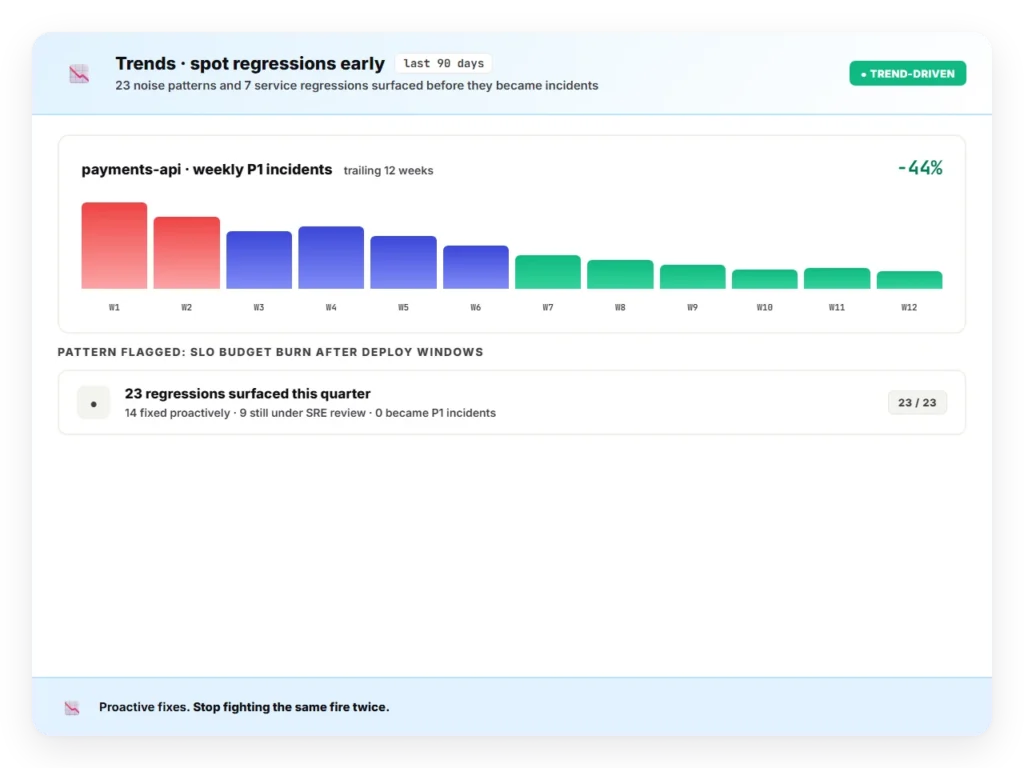
03 — Spot Trends
Use historical patterns to improve systems proactively instead of fighting the same fires every quarter.
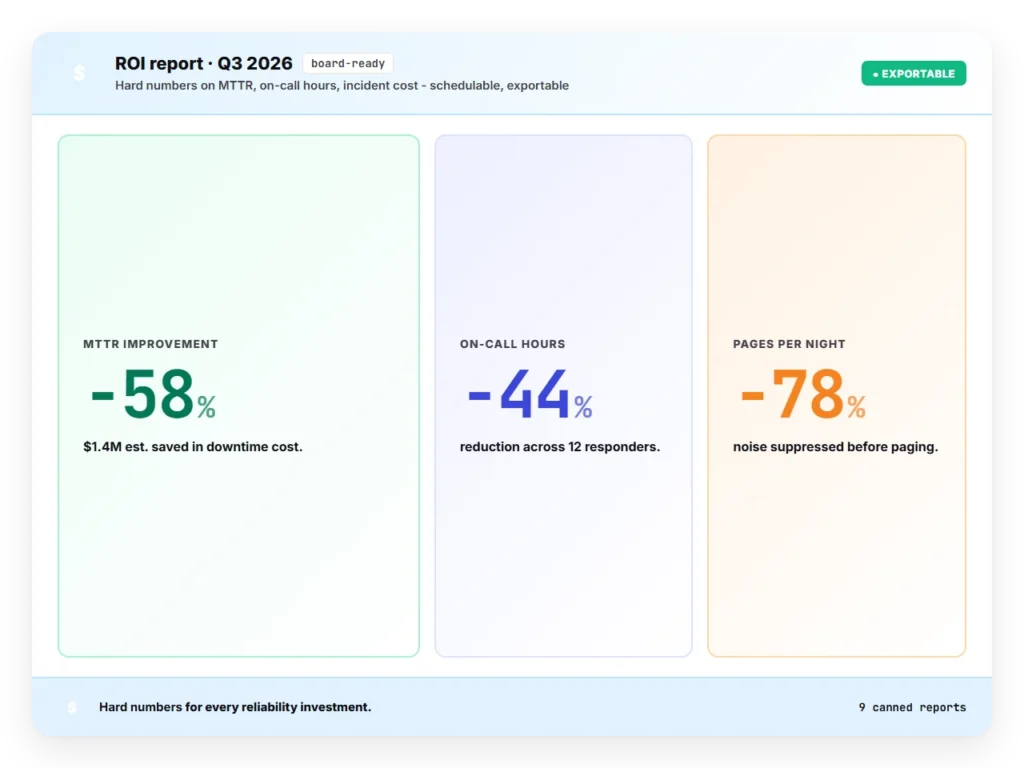
04 — Prove ROI
Track MTTA, MTTR, and resolution effort across services or quarters so leaders can justify investment and show impact.
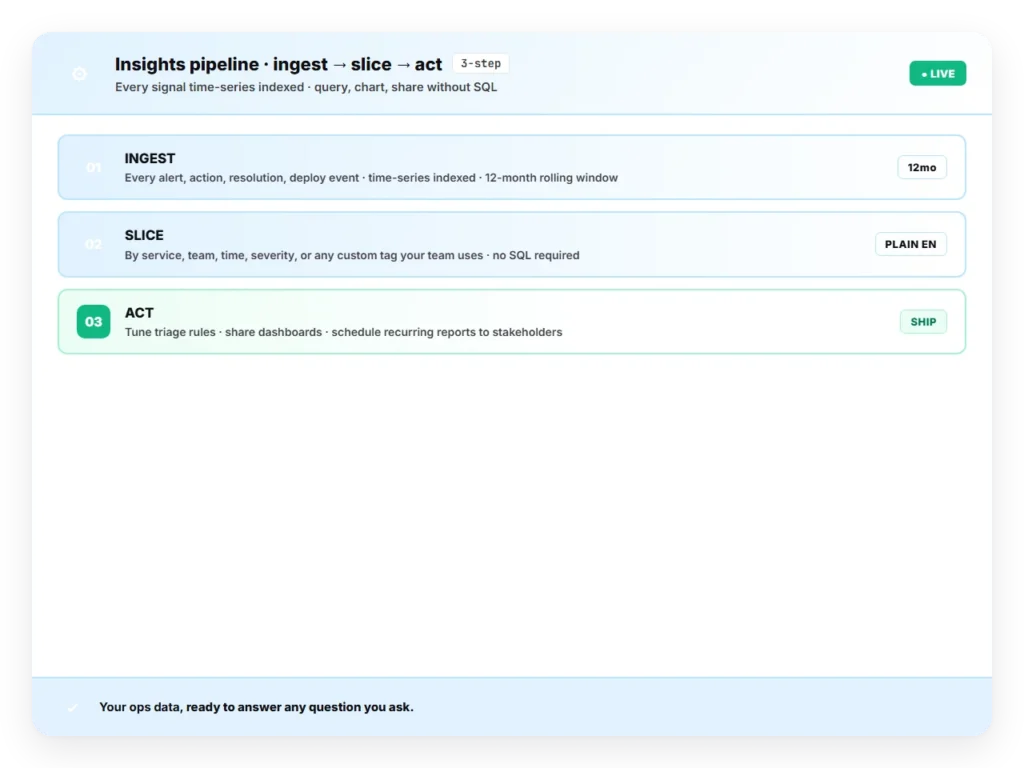
05 — How It Works
Historical Alert Insights plugs into the alert pipeline you already run – no separate process for your team to manage.
From alert correlation to post-mortems, OpsIQ brings intelligence to every phase of incident management.
The Smart Correlation Engine applies similarity modeling, NLP, and customizable thresholds to group related alerts in real time – cutting noise, exposing patterns, and accelerating resolution.
Intellifield Reasoning Agents bring structured thinking to unstructured alerts. From false positives to resolution steps, each agent extracts targeted insights and triggers workflows.
AlertOps surfaces proven resolutions and context from past incidents, giving your team the historical data needed to triage smarter, cut MTTR, and continuously improve reliability.
Agent Chronicle automates postmortem creation, capturing what happened, how it was resolved, and what comes next, so your team can continuously learn and stay audit-ready.
Ada is your team’s operational assistant for users, groups, and schedules, giving you real-time answers through natural language.
Don’t just take our word for it

Tracks all after-hours alerts and is customized to the company’s needs. Support is responsive and the platform is relatively easy to implement.
Darius L.
Level 1 Engineer
Used for systems going down and after-hours emergencies works well. Gets real-time alerts to technicians and dispatchers quickly. Minor drawback: spam calls occasionally create tickets that need to be manually reported for blocking.
Brigite M.
Tech 3
Setting up AlertOps significantly reduced after-hours noise. Critical alerts now come through and technicians know that if the system is alerting, it’s important. Initial setup was a little complex but the AlertOps support team was fantastic throughout the process.
Jeff L.
Business Development Manager
See how AlertOps cuts alert noise, accelerates resolution, and keeps your team in control without the complexity of legacy ITSM platforms.
