OpsIQ drafts a complete, timeline-accurate post-mortem the moment an incident closes – root cause, contributing factors, and action items. Ready in minutes, not days.
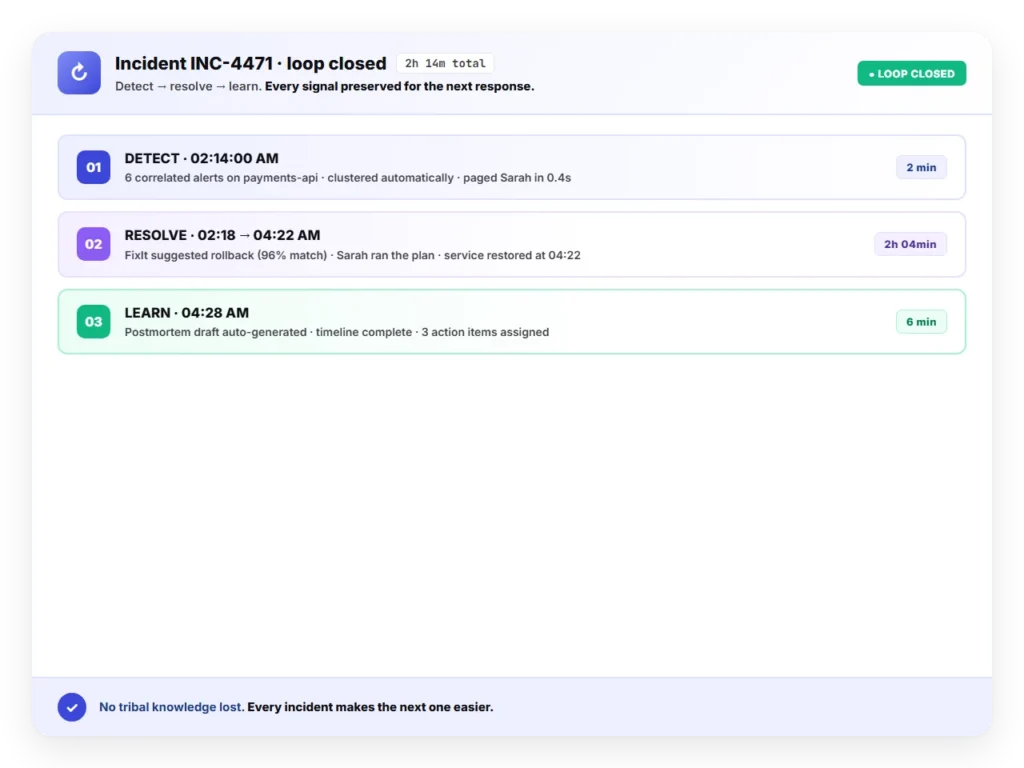
Most teams skip postmortems due to time pressure. Chronicle builds the first draft instantly, using real alert data and activity logs. No more chasing timelines or documenting by memory.
Drafts assembled from real alert data and activity logs
Timeline and responder actions captured automatically
02 — Learn From Every Incident
Turn Each Incident Into a Lesson
Instead of reactive reviews, Chronicle turns every incident into an opportunity for growth. Patterns, timelines, and actions are captured automatically, ready for analysis and improvement.
Surfaces recurring patterns across incidents
Makes review and follow-up actions easy to track
03 — Stay Audit-Ready
Always Ready When Compliance Calls
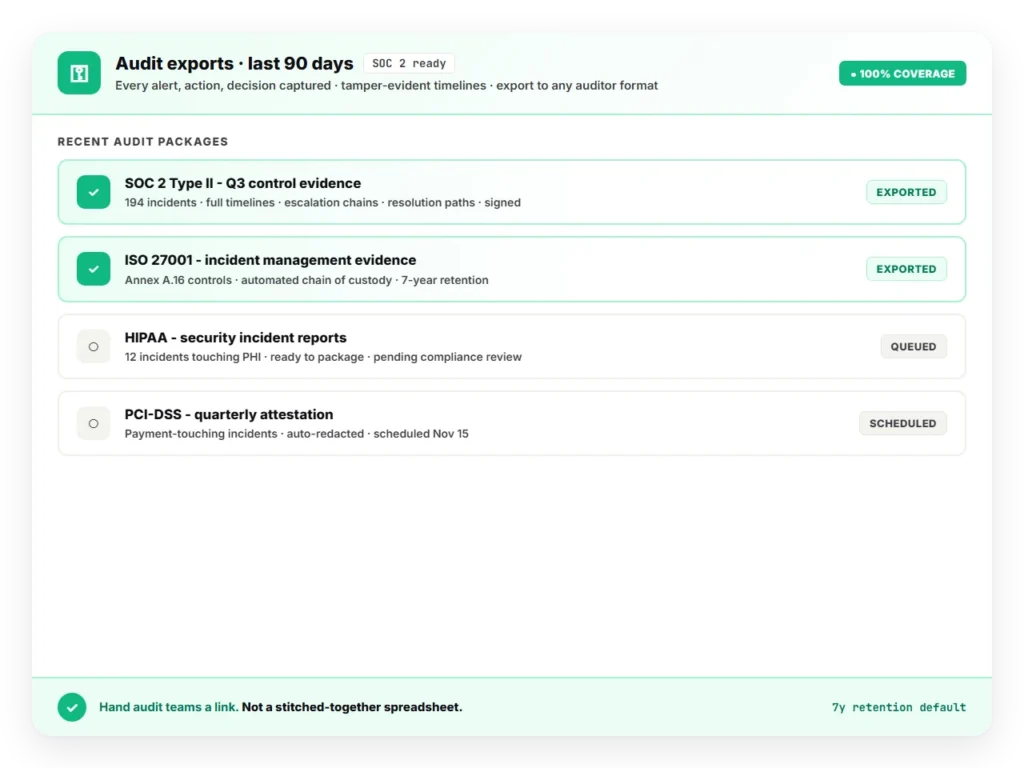
Compliance requests? Executive reviews? No problem. Each critical incident generates a traceable, structured postmortem, complete with root cause, impact, and resolution, all automatically.
Structured records with root cause, impact, and resolution
Traceable evidence for executive and regulatory reviews
04 — What You Can Expect
What You Can Expect
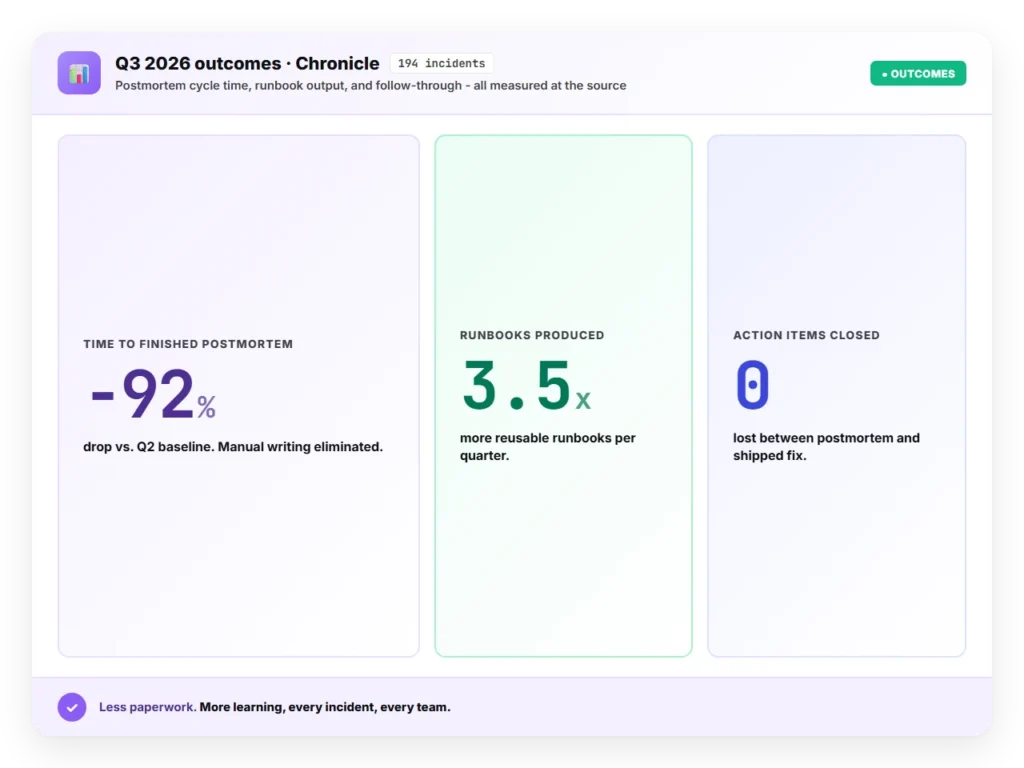
Chronicle delivers measurable outcomes across your incident lifecycle.
Save Time: Cut postmortem prep by up to 80%
Improve Outcomes: Spot gaps in communication, tooling, or process
Ensure Accountability: Track who did what, when, and why
05 — How It Works
How It Works
Chronicle automates the entire postmortem workflow from start to finish.
Start from the Source: Launch creation from any closed alert
AI Collects Context: Gathers metadata, alert lifecycle, and responder activity
Review and Share: Edit, approve, and share as a PDF or link
Unlock the Power of OpsIQ
From alert correlation to post-mortems, OpsIQ brings intelligence to every phase of incident management.
AI Smart Correlation Engine
The Smart Correlation Engine applies similarity modeling, NLP, and customizable thresholds to group related alerts in real time – cutting noise, exposing patterns, and accelerating resolution.
Intellifield Reasoning Agents bring structured thinking to unstructured alerts. From false positives to resolution steps, each agent extracts targeted insights and triggers workflows.
AlertOps surfaces proven resolutions and context from past incidents, giving your team the historical data needed to triage smarter, cut MTTR, and continuously improve reliability.
Agent Chronicle automates postmortem creation, capturing what happened, how it was resolved, and what comes next, so your team can continuously learn and stay audit-ready.
Tracks all after-hours alerts and is customized to the company’s needs. Support is responsive and the platform is relatively easy to implement.
Darius L.
Level 1 Engineer
Used for systems going down and after-hours emergencies works well. Gets real-time alerts to technicians and dispatchers quickly. Minor drawback: spam calls occasionally create tickets that need to be manually reported for blocking.
Brigite M.
Tech 3
Setting up AlertOps significantly reduced after-hours noise. Critical alerts now come through and technicians know that if the system is alerting, it’s important. Initial setup was a little complex but the AlertOps support team was fantastic throughout the process.
Jeff L.
Business Development Manager
Ready to bring OpsIQ intelligence to your incident response?
See how AlertOps cuts alert noise, accelerates resolution, and keeps your team in control without the complexity of legacy ITSM platforms.