Schedule complexity is the first thing migrations underestimate. The rotation that looks straightforward in a documentation diagram (primary, secondary, escalate) has years of operational tuning underneath it: timeouts that someone learned the hard way, layered overrides for vacations that never got cleaned up, time-zone handoffs across regions, DND bypass through twenty phone numbers because the on-call SRE turns off notifications at midnight. None of that lives in the migration tool’s data model by default. All of it has to migrate cleanly or production response degrades on day one.
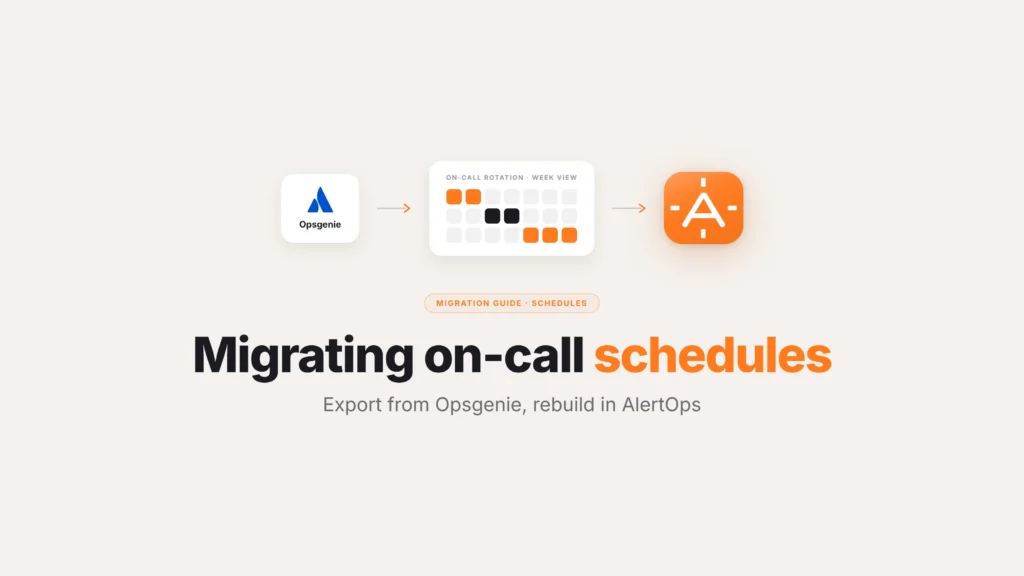
This guide is the procedural sequence for exporting Opsgenie on-call schedules and migrating them to AlertOps without losing the tuning. Includes the specific patterns that break naive migrations (multi-layer rotations, DND override, layered vacation coverage) and how the AlertOps free migration tool handles each one.
What does Opsgenie’s schedule export actually give you?
Opsgenie’s schedule API exposes the structural primitives: rotation definitions, schedule layers, overrides, time zones, and team membership. The export is JSON and is straightforward to pull. What’s not in the API export is the runtime behavior – the specific notification timeouts per rotation, the DND override workarounds, the manual overrides that someone created during a holiday and never deleted, and the layered backup-of-backup-of-backup configurations that accumulate in enterprise environments over years of tuning.
The first step in any migration is a Phase 1 audit of what’s actually in the source. Pull the schedule export and read it carefully, identifying which schedules are actively in use and which are dormant, and which overrides should migrate versus the ones that should be retired. The migration is the moment to clean operational debt, not preserve it as-is.
The multi-layer rotation pattern that breaks naive migrations
The most common Opsgenie schedule pattern that requires careful translation is multi-layer rotation. An AlertOps SE described the pattern during an enterprise insurance migration call: “Within OpsGenie, you have the option to escalate to next on call. The problem is if your team has flexible scheduling – say one person’s primary, then they get a week off and then they’re secondary – configuring that in OpsGenie becomes substantially more complex.”
Enterprise schedules are full of this pattern. A senior engineer is primary for week 1, off for week 2, secondary for week 3, on training for week 4. The Opsgenie configuration encodes this as stacked rotations with overrides layered on top. The migration target needs to either replicate the same stacked structure or translate it into a cleaner primary/secondary/manager schedule with the right shift definitions.
AlertOps’s scheduling model expresses both patterns natively. The free Opsgenie migration tool captures the existing stacked rotations and reproduces them in AlertOps. The migration team can then walk through the resulting configuration and identify candidates for cleanup (the dormant overrides, the stacked rotations that could collapse into cleaner shift definitions).
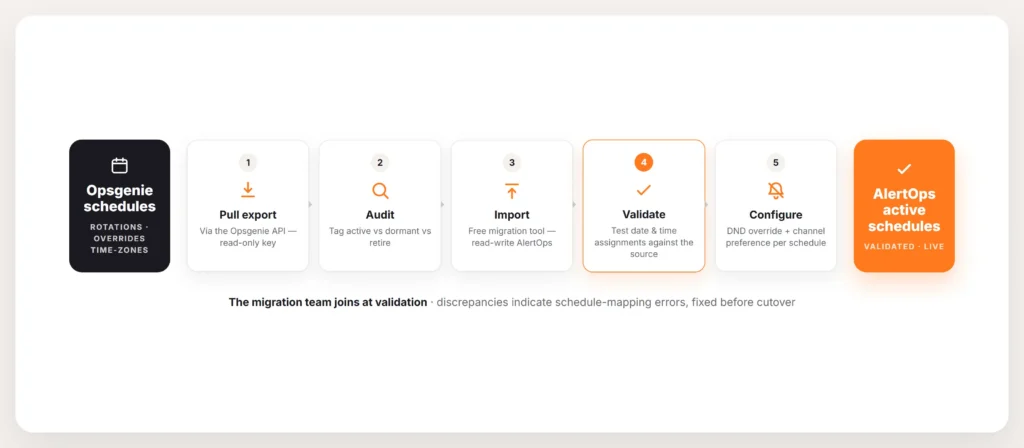
Five-step Opsgenie on-call schedule migration flow. Step 1 pull schedule export via Opsgenie API. Step 2 audit schedules tagging active versus dormant versus retire. Step 3 import via the AlertOps free migration tool with read-only Opsgenie access and read-write AlertOps access. Step 4 validate imported schedules by testing specific date and time on-call assignments against the Opsgenie source. Step 5 configure DND override and channel preference per schedule.
How to migrate Opsgenie schedules to AlertOps
The full procedure runs in five steps.
Step 1: Pull the Opsgenie schedule export. Use the Opsgenie API. The schedule endpoint returns the full configuration for every schedule the API token has access to. Save the JSON output as the source of truth for the migration. Time-stamp it. Freeze configuration changes in Opsgenie at this point so the export does not drift during the migration window.
Step 2: Audit the schedules. Go through every schedule in the export. Tag each one: actively in use, dormant, or candidate for retirement. Identify the overrides that should migrate and the ones that should not. Identify the time-zone handoffs and confirm they are correct. For larger environments with hundreds of schedules, this audit takes longer than the actual migration step.
Step 3: Import to AlertOps via the free migration tool. The AlertOps migration team takes the Opsgenie export and runs it through the automated tool. The tool maps Opsgenie schedules to AlertOps on-call schedules, reproduces rotations and overrides, and preserves the time-zone configuration. The API key required has read-only access to Opsgenie and read-write access to AlertOps, so no changes happen in the source environment. As one AlertOps SE described to a mid-market financial services prospect: “We just take an API key out of AlertOps which has that read-write configure access. So we can take that stuff and replicate it within AlertOps.”
Step 4: Validate the imported schedules. For each migrated schedule, confirm the on-call assignment matches Opsgenie for the same date and time. Test specific rotations: who is on-call this Friday at 2 AM, this Saturday at noon, this Tuesday at 9 AM. Mismatches indicate either a schedule mapping issue or operational debt that surfaced during the import. Fix mismatches before cutover.
Step 5: Configure DND override and channel preference. Opsgenie’s notification behavior frequently required workarounds to bypass mobile DND. A ski resort operations team described their solution: “It can call from several different numbers when it triggers the on call. So we had to whitelist certain contacts, but there’s like 20 different phone numbers under it just so that it will get through DND.” In AlertOps, DND override is a first-class scheduling configuration rather than a contact-list maintenance burden. Set it explicitly per schedule during the import validation step so the new platform handles wake-up reliability natively.
The patterns to migrate carefully
Five Opsgenie schedule patterns recur in enterprise migrations and need explicit handling.
Layered vacation coverage. Senior engineer takes vacation, backup picks up primary, backup-of-backup picks up secondary. Three weeks later the senior returns and the layered overrides need to unwind cleanly. Capture the layer logic in the AlertOps schedule and validate the unwind.
Multi-region follow-the-sun. A service is on-call to Asia 0000-0800 UTC, Europe 0800-1600, Americas 1600-0000. The Opsgenie schedule expresses this as time-zone-aware shift handoffs. AlertOps preserves the time-zone configuration; verify the boundaries after import.
Per-service severity routing. Some teams route P1 alerts to one rotation and P2 alerts to a different one. Opsgenie expresses this through integration-level routing rules. AlertOps’s multi-dimensional routing engine handles this natively; verify the severity routing imports correctly.
Shift-cover requests. A team member needs someone to cover next Wednesday’s shift. In Opsgenie this was typically handled as a one-off override. In AlertOps, shift-cover requests can route through the mobile app for self-service coverage swaps, with the manager automatically notified. The migration is a chance to upgrade the workflow from manual override to self-service swap.
Calendar sync. Many teams sync the on-call schedule to Google Calendar or Outlook via WebCal so engineers see their on-call shifts in their personal calendar. AlertOps supports the same WebCal sync; reconfigure the personal calendar subscriptions after the import.
What the migration tool migrates versus what’s hands-on
The automated tool handles users, groups, schedules, and escalation policies. For schedule complexity beyond the standard primitives (deeply layered overrides, region-specific time-zone configurations, severity-routed rotations), the AlertOps migration team handles the translation work hands-on during the import calls. The typical engagement runs two to three working sessions for mid-market environments and three to six sessions for enterprise environments with hundreds of schedules.
The tool does not auto-migrate integrations. Those are handled separately as part of the integration migration (see the related guide on migrating Opsgenie integrations). Schedules and escalation policies migrate first; integrations follow.
Frequently asked questions
How do I export my Opsgenie on-call schedules?
Use the Opsgenie API. The schedule endpoint returns the full configuration for every schedule the API token has access to. Save the JSON output, time-stamp it, and freeze configuration changes in Opsgenie at the moment of export to prevent drift during the migration window.
Can the AlertOps migration tool import all my Opsgenie schedules?
The automated tool handles users, groups, schedules, and escalation policies. Standard rotations, overrides, and time-zone configurations import cleanly. Complex patterns (deeply layered overrides, severity-routed rotations, region-specific shift definitions) are handled hands-on by the AlertOps migration team during the import sessions.
How long does the schedule migration take?
The technical import itself runs in minutes once the Opsgenie export is in hand. The full schedule migration including audit, import, and validation typically runs across two to three working sessions for mid-market environments and three to six sessions for enterprise environments with hundreds of schedules.
What happens to my Opsgenie schedules after the migration?
After cutover, the Opsgenie schedules move to read-only in the source environment. As part of clean Opsgenie deprovisioning, the schedules are frozen and the Opsgenie tenant is taken offline at the Atlassian admin console. The new schedules in AlertOps become the only source of truth for on-call coverage.
Does AlertOps preserve my schedule notification timeouts?
Yes. Specific timeouts per rotation (the “ring primary 40 seconds, then secondary” pattern that customers tuned over time) preserve through the migration. AlertOps’s schedule model supports the same timeout granularity Opsgenie did, and the migration tool captures the existing timeout configuration.
How does DND override work in AlertOps versus Opsgenie?
In Opsgenie, DND override frequently required workarounds (whitelisting many phone numbers in the contact list). In AlertOps, DND override is a first-class scheduling configuration set per schedule. The wake-up reliability is handled by the platform rather than by contact-list maintenance.
Can my team see their on-call shifts in Google Calendar after migration?
Yes. AlertOps supports WebCal calendar sync. Engineers can subscribe to their personal on-call schedule from Google Calendar, Outlook, or any calendar client that handles WebCal. After the migration, reconfigure the personal calendar subscriptions to point at the AlertOps WebCal URL.