AlertOps has two primitives for routing alerts to humans, and Opsgenie migrants frequently ask which one matches their existing configuration. The honest answer is that most enterprise environments end up using both. The decision per policy depends on what the Opsgenie configuration actually expressed, not on which primitive sounds more familiar. Get the decision right per policy and the migration produces a cleaner configuration than the source. Get it wrong and the result is configuration sprawl that takes another six months to clean up.
This guide is the decision matrix. The architectural distinction between Response Plays and Escalation Policies. The rule of thumb for which Opsgenie patterns map to which AlertOps primitive. The decoupling difference that makes the AlertOps configuration easier to maintain at enterprise scale. And the empathy principle that the AlertOps migration team applies when the source configuration is heavily tuned: do not reinvent the wheel just to claim best practice.

Decision branches mapping common Opsgenie escalation configuration patterns to the corresponding AlertOps primitive. Strict role-based escalation (primary, secondary, manager) and shift-wise routing with consistent channels map to AlertOps Escalation Policies. Flexible group notification with no strict hierarchy, severity-based routing, time-of-day overrides, and service-ownership-aware routing map to AlertOps Response Plays, which are role-agnostic and notify all active-shift members simultaneously.
What does each primitive actually do?
The verified definitions come from the AlertOps docs themselves.
Response Plays are documented as “a simplified alternative to traditional Escalation Policies. Designed for operational flexibility, Response Plays are ideal when strict role-based escalation logic (Primary, Secondary, Manager) is not required.” The key differentiator the docs call out: “Response Plays are role-agnostic.” A Response Play has Basic Properties (name, description, priority level), Notification Tiers (recipients plus “Time from Start” in minutes from alert creation), and Recipient Types (individual users, static groups, or both). Notifications use “each user’s own contact method preferences” (Email, SMS, Phone, Push), and “all members of an active shift within a group will be notified simultaneously” regardless of role.
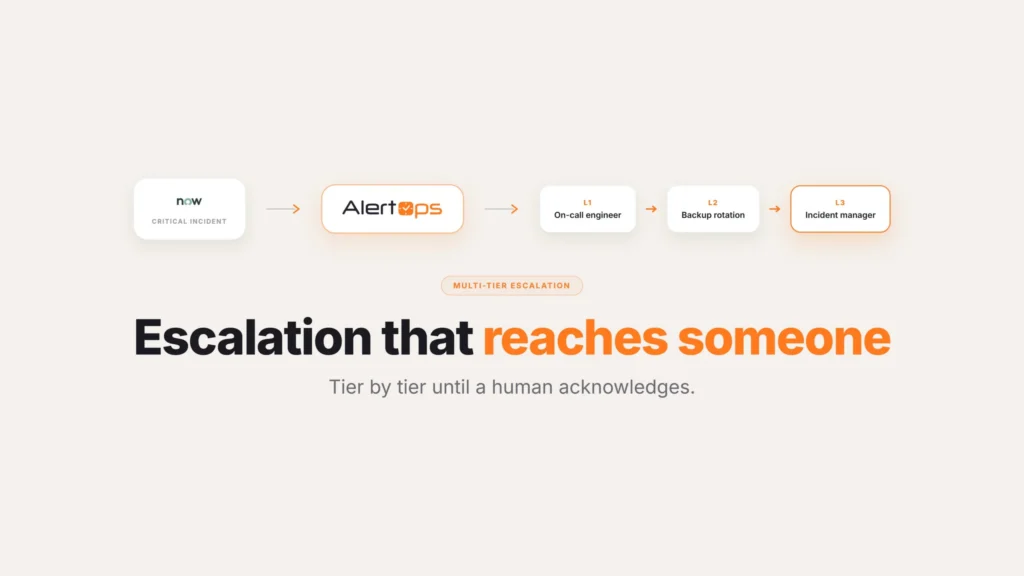
Escalation Policies are the more structured primitive. They route through a sequenced hierarchy of user roles, starting with Primary by default and adding subsequent user-defined roles in order. Each role has a wait time before escalating to the next. Contact-method labels per role must match the user profile contact labels. The Escalation Policy depends on role entitlements, which is exactly the dimension Response Plays explicitly remove.
An AlertOps SE working with a mid-market MSP summarized the practical difference: “In a response play you can be much more dynamic and find granular that goes from this user, to all members of this group, to on-call members of this group. But in escalation policies, you can be much more granular in the sense you can create shift-wise escalations. So within the group it goes from the primary, to the secondary, to the manager.”
Both primitives produce the same business outcome (the right person gets paged in the right order with the right channel preference). The choice depends on whether the operational model requires strict role hierarchy (Escalation Policy) or benefits from role-agnostic flexible group notification (Response Play).
The rule of thumb for translating Opsgenie configurations
The migration decision per policy follows a consistent pattern.
Opsgenie policies that expressed simple group-to-group escalation with consistent channel preferences map cleanly to AlertOps Escalation Policies. The team structure preserves. The shift-wise semantics preserve. The migration is straightforward.
Opsgenie policies that expressed dynamic routing (different recipients depending on time of day, severity, source system, or service ownership) map more cleanly to AlertOps Response Plays. The Response Play preserves the conditional logic that Opsgenie expressed through stacked rules and reduces it to a single readable policy.
The same SE summarized the translation principle: “We can translate OpsGenie to escalation policy, but sometimes just because of the way you currently set it up, doing it the escalation policy creates a bit of configuration sprawl. So that’s where we recommend response play.” The trigger phrase is “configuration sprawl.” When a one-to-one translation from Opsgenie escalation policy to AlertOps Escalation Policy produces a list of nearly identical policies that vary only by time window or severity, Response Play is the cleaner answer.
For mega-enterprise environments with deeply tuned Opsgenie configurations, another SE described the default: “For our mega enterprise clients, we did response plays just to map how Opsgenie does it. But since we have a better way of doing it, since it’s comparatively smaller, then we can always leverage escalation policies because it’s much more granular in this way.” The reasoning is operational. Mega-enterprise customers have years of investment in the dynamic routing patterns Opsgenie expressed; mapping to Response Plays preserves that investment. Smaller environments benefit from the granularity Escalation Policies provide.
The decoupling difference that makes the migration cleaner
The structural advantage AlertOps has over Opsgenie is decoupling. An AlertOps SE described the contrast during an enterprise dev tools demo: “Unlike OpsGenie, we have decoupled everything. In OpsGenie it’s going to be in the team level – that’s where you set the escalation policies and the integration and so on. Whereas in AlertOps, we have decoupled everything: a separate module for the groups and schedules, a separate module for escalation policies, and a separate module for the integrations. It basically makes it a little bit easier to manage.”
The decoupling matters at enterprise scale. Opsgenie configurations with one hundred fifty teams had one hundred fifty places to maintain escalation logic, because escalation policies were team-scoped. AlertOps separates escalation policies from groups, which means a single policy can apply across many groups and integrations. The same architectural separation applies to integrations and to schedules.
The migration is the moment to consolidate. Where Opsgenie had a hundred near-duplicate team-level escalation policies, AlertOps frequently ends up with five or ten reusable policies that cover the same operational surface area. The Solution Engineering engagement during the migration walks through the Opsgenie export and identifies the consolidation opportunities specifically.
Another SE described escalation policies in AlertOps: “Escalation policies are completely decoupled from a particular group or team, meaning that it is heavily role based.” Role-based means the policy describes the response pattern (primary → secondary → manager with these timeouts and these channels) and then attaches to whichever groups need that pattern. Changes to the response pattern propagate to every group using the policy.
The empathy principle: do not reinvent the wheel
The AlertOps migration team has a posture about translation that matters during the engagement. An SE described it directly during a mid-market customer demo: “During a migration process, when I take a look at your environment, depending on how your configurations are, we can suggest if escalation policies or response play are a better fit for you. Our goal is to not have much hassle for you, especially when it comes to the admins. If they’re already adjusted to do things in one way, we don’t want to reinvent the wheel just for the sake of claiming best practice. If it works, it works.”
The principle is operational. Migrations that try to impose architectural purity on an existing configuration produce friction with the admins who have to maintain the new configuration. Migrations that preserve the operational patterns the team is used to (while extending what’s possible) produce smoother cutovers. The AlertOps migration team makes the per-policy call based on what each Opsgenie policy actually does and what the admin team is used to maintaining, rather than imposing a uniform translation rule.
How the decision plays out in practice
A typical enterprise Opsgenie migration produces a mixed result. Roughly the patterns below recur:
- Mature shift-wise escalations within stable teams map to AlertOps Escalation Policies. The migration preserves the primary/secondary/manager structure and the timeout granularity per shift. These are the easy cases.
- Severity-based routing (P1 to one rotation, P2 to another) maps to AlertOps’s multi-dimensional routing engine within a single Escalation Policy or a single Response Play with severity as a routing dimension.
- Time-of-day overrides (business hours to team lead, off-hours to on-call rotation) maps to time-based routing within a Response Play.
- Service-ownership-aware routing (alerts on service X route to team A, alerts on service Y route to team B) maps to Response Play with service ownership as a routing condition.
- Vendor handoff conditions (alerts on specific severity escalate to vendor support contract after defined timeout) maps to a vendor-aware step in a Response Play.
- Cross-team incident response (an incident draws in multiple teams to a war room) maps to Response Play with multi-team routing.
The AlertOps migration team walks through the Opsgenie export policy-by-policy and makes the call. The end result is a configuration that preserves what the team is used to maintaining and adds the dynamic routing capabilities Opsgenie did not have.
The honest framing for the migration
Response Plays vs Escalation Policies isn’t binary. The right call lands per policy, based on what the source configuration was expressing and what the receiving admin team is used to maintaining. The AlertOps migration team makes that call during the import sessions, with the actual Opsgenie configuration on screen and the team’s operational preferences in the room.
The decoupling that AlertOps preserves between groups, schedules, escalation policies, and integrations is the structural advantage that makes the migration cleaner than the source. The empathy principle that prevents the migration from imposing uniform architectural purity preserves the operational patterns the team has invested in. Both together produce migrations that the admin team can maintain after cutover without a six-month learning curve.
Book a demo at alertops.com/demo to see how AlertOps handles your specific Opsgenie escalation configuration and which patterns map to Response Plays versus Escalation Policies.
Frequently asked questions
What’s the difference between AlertOps Response Plays and escalation policies?
Per the AlertOps documentation: Response Plays are “a simplified alternative to traditional Escalation Policies. Designed for operational flexibility, Response Plays are ideal when strict role-based escalation logic (Primary, Secondary, Manager) is not required.” Response Plays are explicitly role-agnostic; all members of an active shift in a group are notified simultaneously. Escalation Policies are role-based and shift-wise, routing through a sequenced hierarchy starting with Primary. Most enterprise environments end up using both.
Which should I use when migrating from Opsgenie?
The decision is per policy. Opsgenie configurations with simple group-to-group escalation map cleanly to AlertOps Escalation Policies. Opsgenie configurations with dynamic routing (time of day, severity, service ownership) map more cleanly to Response Plays. The AlertOps migration team makes the call during the import based on what each Opsgenie policy actually does.
Why does AlertOps recommend Response Plays for mega-enterprise migrations?
Mega-enterprise environments have deeply tuned Opsgenie configurations with dynamic routing patterns. Mapping to Response Plays preserves the operational investment. Smaller environments benefit from the granularity Escalation Policies provide for shift-wise behavior.
What does “decoupled architecture” mean in AlertOps?
AlertOps separates groups and schedules, escalation policies, and integrations into distinct modules rather than coupling them at the team level like Opsgenie did. A single escalation policy can apply across many groups; a single group can use different escalation policies for different scenarios. The decoupling reduces configuration duplication at enterprise scale.
Will my Opsgenie configurations translate cleanly to AlertOps?
Standard shift-wise escalations translate cleanly to Escalation Policies. Dynamic routing translates to Response Plays. Complex conditional logic (severity routing, time-of-day overrides, service-ownership awareness, vendor handoff) translates through the multi-dimensional routing engine. The AlertOps migration team handles the per-policy translation during the import calls.
Can a single AlertOps Response Play replace multiple Opsgenie escalation policies?
Yes, frequently. When the multiple Opsgenie policies vary only by a condition (time of day, severity, service), a single Response Play with that condition as a routing dimension can replace them. The migration is the moment to consolidate. Where Opsgenie had a hundred near-duplicate team-level policies, AlertOps frequently ends up with five or ten reusable Response Plays.
Does the migration team make the Response Play vs Escalation Policy decision automatically?
The decision is per policy and the AlertOps migration team makes the call during the import calls based on what each Opsgenie policy actually does. The team also factors in the receiving admin team’s operational preferences. The principle: do not reinvent the wheel just to claim best practice if the existing pattern works.