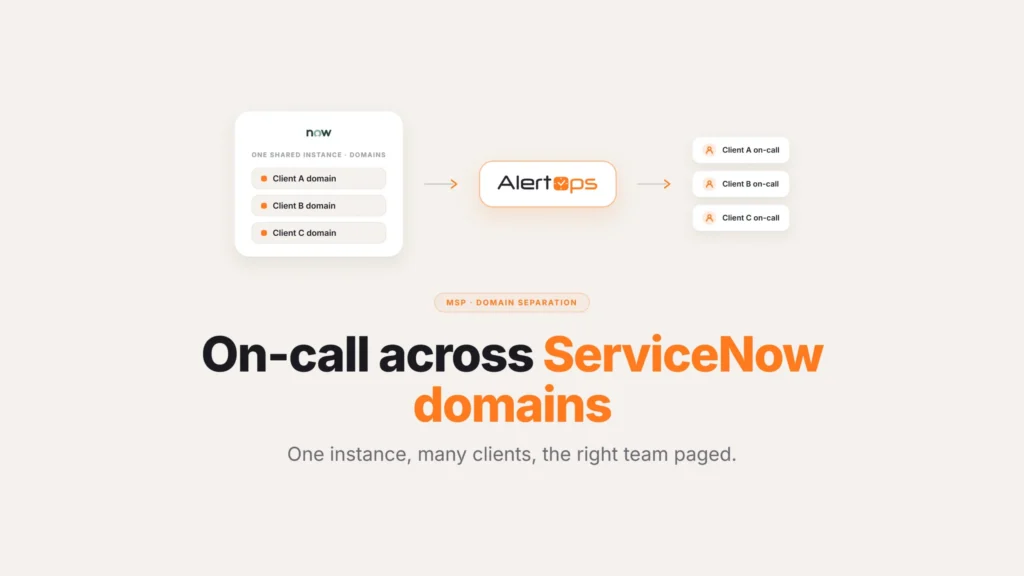
The P1 fired at two in the morning, ServiceNow logged it perfectly, and the on-call engineer’s phone sat face-down on do not disturb. The incident didn’t slip because nobody cared. It slipped because one phone call to a sleeping person isn’t a paging strategy.
This guide covers why critical incidents get missed and how to make sure the ones that matter are seen: multi-channel paging, relentless escalation, acknowledge-until-answered, and a reliable replacement for the email-to-SMS gateway. For the full integration, start with the AlertOps and ServiceNow two-way integration guide.
Table of Contents
- Why Teams Miss Critical Incidents
- One Channel Is a Single Point of Failure
- Reaching Someone Who Silenced One Channel
- Acknowledge, or It Keeps Trying
- Respond From the Phone, Not Just Wake Up to It
- Where Teams Undercut Their Own Reliability
- When the Carrier Gateway Gives Out
- Old Gateway vs. Native Delivery
- Proof It Reached Someone
- Conclusion
- FAQ
Why Teams Miss Critical Incidents
The record is rarely the problem. The reach is. ServiceNow opens and classifies the P1 correctly, and the failure happens on the last hop to a human: a single phone call to someone asleep, or a notification email that never turns into a buzz on the right device. The incident sat in the queue exactly as designed. Nobody was holding the one channel it went out on.
People put their phones on do not disturb on purpose, to protect their own sleep while they’re on call, and a one-channel page is a bet that the one channel is the one they’ll answer. At two in the morning that bet loses often enough to define a quarter. The cost isn’t a UX annoyance. It’s the difference between a P1 caught in three minutes and a P1 found by a customer in the morning.
One Channel Is a Single Point of Failure
Different people answer different things. One responder lives in Slack, another never hears it and answers a phone call, a third only feels the buzz of a dedicated push. A page that goes out on a single channel inherits the weakest moment of whatever channel it picked.
AlertOps pages across SMS, voice, Slack, Microsoft Teams, and mobile push at the same time, and the first acknowledgement wins. Instead of betting on the one channel a sleeping person happens to be reachable on, all of them get tried at once. The incident context rides along, so whoever answers first opens to the actual problem rather than a bare “call the bridge” message with no detail.
Reaching Someone Who Silenced One Channel
A phone on do not disturb is exactly why a single channel fails, and piling everything onto that one channel doesn’t fix it. The answer isn’t a louder phone call. It’s reaching the responder on several channels at once, so a silenced phone isn’t the end of the path.
When the SMS, the Slack message, the voice call, and the mobile push go out together, a responder who muted one surface still has the others live, and the first to land wins. Pair that with escalation that moves to the next person when no one answers, and a silenced device stops being a single point of failure. Reserve the most insistent notifications for the incidents that earn them by tying paging to priority, so the criticals get the full multi-channel push and the routine traffic doesn’t. We cover that filtering side in reducing ServiceNow alert noise.
Acknowledge, or It Keeps Trying
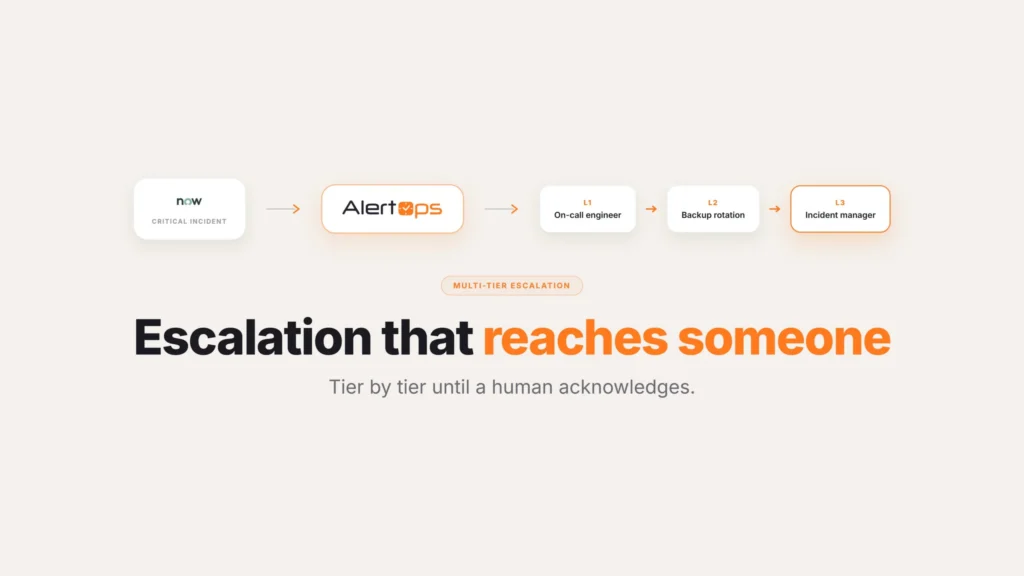
Reliable paging doesn’t end when a notification is sent. It ends when a human owns the incident. AlertOps keeps paging the responder until they acknowledge, and if the acknowledgement doesn’t come inside the window, the alert escalates to the next person rather than sitting unanswered. The responder can acknowledge from whichever channel reached them, a reply, a tap, a keypress on the call.
That behavior is the safety net under the whole thing. A page that fails silently is worse than no page, because it creates the belief that someone is handling it. The full escalation path, who’s next and how long each tier has, is its own topic, covered in ServiceNow escalation paths.
Respond From the Phone, Not Just Wake Up to It
Reaching a responder is only half the job. Letting them act without finding a laptop is the rest. The AlertOps mobile app, on iOS and Android, is where an on-call engineer takes the incident: acknowledge it, see who else is on call, add notes, and move it forward, all from the phone that just buzzed. Because the integration runs two ways, an acknowledgement or a note from the app writes back to the ServiceNow incident, so acting at two in the morning keeps the record current without anyone having to redo it later once they’re awake.
Where Teams Undercut Their Own Reliability
A few habits quietly defeat all of this even after multi-channel paging is turned on.
Routing every priority through the same aggressive push. If a P4 fires across every channel the same way a P1 does, people learn to tune out the noise regardless of severity, and the one time it’s real, the instinct to ignore it is already trained in. Match the intensity of the page to how much the incident actually deserves.
Leaving contact methods stale. A multi-channel strategy only works if the numbers, the Slack handles, and the push registrations on file are current. A responder who changed phones two months ago and never updated their profile is effectively back to zero channels, no matter how many the system is configured to try.
Assuming acknowledgement means understanding. A tap or a keypress confirms someone received the page, not that they’ve grasped the incident yet. Keep the context, what broke, what the priority is, attached to the notification itself, so acknowledging and actually knowing what’s wrong happen at the same moment instead of one after the other.
Treating the mobile app as optional. If part of a team acknowledges from the app and part relies on email replies or manual updates, the write-back to ServiceNow ends up inconsistent, and the record of who did what starts to have gaps exactly where you’d want it most complete.
When the Carrier Gateway Gives Out
Many ServiceNow shops still page by routing notification emails to carrier email-to-SMS addresses. That path is breaking. Carriers are retiring email-to-SMS, and the messages that still get through often arrive truncated or garbled, which is exactly the wrong outcome when someone reads a major-incident alert on a phone at two in the morning.
Native delivery fixes it. AlertOps sends SMS and places voice calls directly rather than depending on an email-to-text bridge, so the message arrives whole and on time. For teams whose escalation has quietly depended on a gateway the carriers are switching off, replacing it isn’t an upgrade. It’s keeping the pager working at all.
Old Gateway vs. Native Delivery
| Email-to-SMS gateway | Native SMS and voice | |
| How the message travels | Notification email routed through a carrier address | Sent directly as SMS or a placed voice call |
| Reliability | Carriers are actively retiring this path | Not dependent on a bridge that can be switched off |
| Message integrity | Often arrives truncated or garbled | Arrives whole, as it was sent |
| What happens if it breaks | Pages silently stop working with no warning | No dependency on a third party’s gateway decision |
Proof It Reached Someone
“We think someone got it” isn’t a defensible answer after a missed P1. AlertOps tracks delivery and acknowledgment, logging who it reached, on what channel, at what time, and who accepted the page, then writes all of it back to the ServiceNow incident. Agent Chronicle captures the same sequence as a timestamped timeline, and the acknowledgment stops the SLA clock instead of waiting for someone to update the ticket later.
That turns reliability from a hope into a record. After the incident, you can show exactly when the page went out and when a human took it, which is the evidence an SLA report or a post-incident review actually needs.
Conclusion
None of this is complicated in concept. People miss single-channel pages for ordinary reasons, a muted phone, a dead zone, a notification that never turned into a buzz, and the fix is simply to stop depending on any one path working every single time. Page on several channels at once, keep going until someone actually answers, and write down what happened so the next SLA review doesn’t run on guesswork. The incident was never the hard part. Reaching the person was.
Book a demo at alertops.com/demo to see reliable multi-channel paging run against your own ServiceNow instance.
Frequently asked questions
Why do teams miss critical ServiceNow incidents?
ServiceNow usually records the incident correctly. The failure is in reaching a human. A single-channel page, most often a phone call, reaches a responder less than all of the time, especially overnight when phones are on do not disturb. Without multi-channel delivery and escalation that keeps going until someone answers, a P1 can sit unowned until a customer finds it.
What if the on-call engineer has their phone on do not disturb?
Reach them on more than one surface at the same time rather than relying on the one they’ve muted. AlertOps fires SMS, voice, Slack, Microsoft Teams, and mobile push simultaneously, and moves to the next responder automatically if nobody accepts the page. Priority still decides how much of that push a given incident gets, so a P1 goes out everywhere at once while lower-severity traffic stays lighter.
What replaces the email-to-SMS gateway for ServiceNow alerts?
A direct connection instead of a borrowed one. Rather than bouncing a notification email off a carrier’s address to turn it into a text, which is exactly the path providers are shutting down, AlertOps sends the message itself, as an actual SMS or a placed call, with no third party’s infrastructure in between to fail.
How does AlertOps make sure a responder acknowledges an on-call page?
By treating a notification as the start of the job, not the end of it. It pages every channel at once, keeps trying until someone accepts, and hands the incident to the next responder if the window closes with no answer. Whoever gets it can acknowledge from whatever channel reached them first.
Does AlertOps record the paging reach in ServiceNow?
Yes. AlertOps writes the reach back to the incident: who it paged, which channel got through, and exactly when. Agent Chronicle keeps the full timestamped sequence, and the responder’s acknowledgment stops the SLA clock.