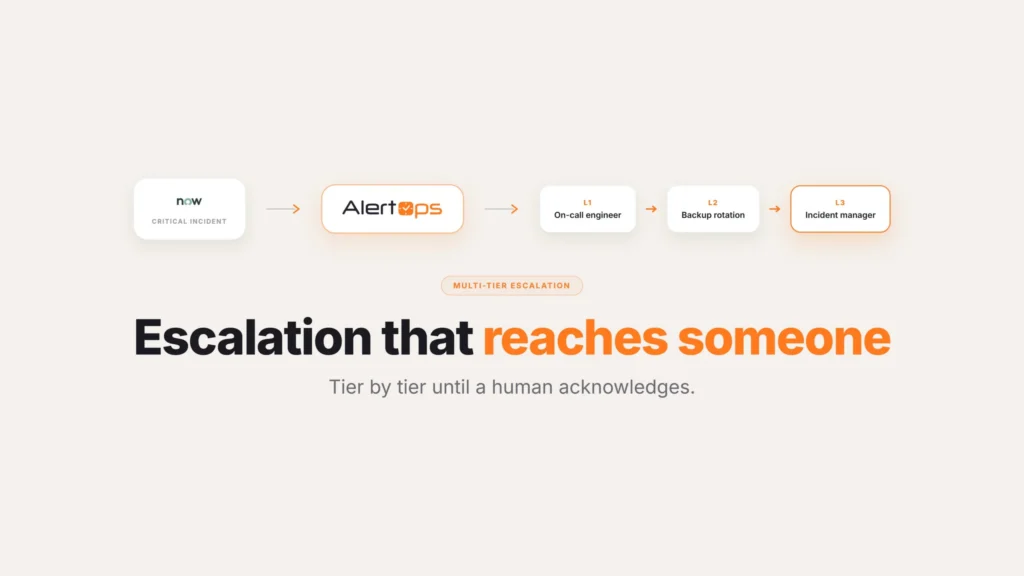
Ask an on-call engineer what wakes them at 3 a.m., and the honest answer is rarely a real outage. It’s a note someone added to a ticket they’re assigned to. Or a severity-five record that didn’t need a human until business hours. Sometimes it’s just a status field flipping from one value to another on something that was never going to take the site down. The phone rings the same way for all of it. That gap is what ServiceNow alert triage closes: deciding which events deserve a human before anything rings.
This guide covers why that noise builds up, how alert triage at the ServiceNow boundary clears it, and why triage and correlation aren’t the same fix even though people often mix them up.
Table of Contents
- Why the Noise Builds Up in the First Place
- Filtering at the Boundary, Not at the Phone
- Page on the Fields That Actually Matter
- Suppress the Routine, Keep the Record Intact
- Filtering Versus Correlation
- What Changes for the On-Call Rotation
- Common Filtering Mistakes
- What Handles Itself vs. What Needs a Decision
- Conclusion
- FAQ
Why the Noise Builds Up in the First Place
ServiceNow is built to record everything, and that’s the right design for a system of record. Every note, every reassignment, every priority change gets captured because someday someone will need the history. The trouble starts when each of those events is also wired to notify a person. A platform that logs every movement on every ticket becomes a platform that pages on every movement on every ticket.
Most of that traffic is real work that doesn’t need a human in the moment. A teammate adding a note to an incident you own is useful context, not a reason to wake you up. A severity-five record needs attention, but during business hours, not at two in the morning. A status change from one in-progress value to another is just the process working as designed. None of it is false, which is what makes it hard to cut.
The result is alert fatigue, and fatigue is a safety problem before it’s a morale problem. Once a rotation learns that most pages can wait, it starts treating all pages as things that can wait. The cost isn’t just burnout. It’s the night the page that mattered arrived in the same stream as forty that didn’t, and got the same shrug.
Alert Triage at the Boundary, Not at the Phone
There are two ways to deal with the flood, and they aren’t equal. You can let everything page and ask responders to triage in the moment, deciding ticket by ticket whether this one was worth the interruption. Or you can decide upfront which events deserve a human and filter the rest out before any phone rings.
AlertOps sits in that second position. Signals from ServiceNow arrive at the boundary first, where filtering rules evaluate them, and only the events that clear the bar become a page. Filtering at the phone makes every responder the filter, over and over, at the worst possible hour. Filtering at the boundary makes the decision once, so the responder only ever sees what already passed.
Page on the Fields That Actually Matter
Filtering works because the fields that signal real urgency already exist in the record. AlertOps reads them as the signal comes in and pages only when they cross the threshold you set. The common ones are priority, impact, assignment group, and incident state.
Priority is the blunt instrument and usually the first cut: page on P1 and P2, let P3 through P5 sit in the queue for business hours. Impact narrows it further, so a payments team can say page only when impact is enterprise-wide and skip the single-user records. Assignment group routes the page to the right rotation instead of broadcasting to everyone. Incident state controls when in the lifecycle a page fires, so a new P1 wakes someone up while a reassignment between two groups doesn’t.
What this removes is the entire category of pages that should never have left ServiceNow. The note-added update stays a note in the record. The P5 stays in the queue.
Suppress the Routine, Keep the Record Intact
The fear with any filter is that something important slips through it, and that fear is worth answering directly. Filtering at the boundary doesn’t delete events or hide them from ServiceNow. The instance remains the system of record and captures every note, every state change, and every low-severity record exactly as it does today. Filtering changes what reaches a responder. It never changes what the system keeps. The filter governs one thing only: whether a given event is allowed to interrupt a human.
The routine traffic goes quiet without going dark. A severity-five record still exists, still sits in its assignment group’s queue, still gets worked in the morning. A note added at midnight is still there in the incident history for whoever opens it next. Nothing is lost. The on-call phone simply stops treating the queue’s background hum as a series of emergencies.
Filtering Versus Correlation
It’s worth being precise here, because two different mechanisms both get called noise reduction, and they do opposite jobs. Filtering drops the alerts you don’t need to see, so they never page anyone. Correlation does the reverse: it takes the alerts that do matter and groups the related ones into a single incident instead of many.
A single outage shows why most teams need both. When a core service fails, dozens of real, high-priority alerts fire at once, and no filter should drop those, since each one is genuinely urgent. What you want is for them to arrive as one incident rather than fifty pages, and that’s correlation’s job, covered in alert correlation before the ticket. Filtering wouldn’t help with that storm, because the alerts are all real. Correlation wouldn’t help with the steady drip of P5s and note updates, because there’s nothing to group.
| Filtering | Correlation | |
| What it does | Drops low-value or routine events before they page anyone | Groups related real alerts into one incident |
| Problem it solves | Noise from things that were never urgent | One real event spread across many separate pages |
| What it never touches | Genuinely urgent alerts, which still page | Low-value noise, since there’s nothing worth grouping |
In AlertOps, correlation is handled by OpsIQ, using similarity modeling, natural language processing, and configurable thresholds to group related alerts in real time. Running filtering and correlation together is where the volume really drops. AlertOps platform data shows up to 68% noise reduction in enterprise deployments from the two working together.
What Changes for the On-Call Rotation
The on-call engineer feels filtering right away, because the phone stops crying wolf. When a page arrives, it means a priority and impact the team agreed in advance were worth an interruption, routed to the group that owns it. A responder who used to swipe past most alerts on instinct starts trusting that a ring is a real thing again, which is the entire point of an alerting system.
That trust has a knock-on effect on the metrics that matter. When pages are rare and real, they get acknowledged faster, because nobody is debating whether this one counts. Mean time to resolution improves, not because anyone works harder, but because the time that used to go into deciding whether a page deserved attention now goes straight into the response.
Common Filtering Mistakes
A few things trip teams up when they first set filtering rules, and most are easy to fix once someone notices.
Filtering on priority alone. Priority is the right first cut, but a P2 that only affects one internal tool isn’t the same as a P2 that takes down a customer-facing service. Layering impact and assignment group on top of priority catches the cases a single field misses.
Setting the rules once and never revisiting them. Teams change and services change, and what counted as page-worthy a year ago may not match how the business runs today. A filtering rule that made sense at rollout can quietly stop matching reality if nobody checks it again.
Confusing filtering with correlation. Teams sometimes expect a filter to also clean up the fifty duplicate alerts from one cascading outage. It won’t, because those alerts are all real and none of them should be dropped. That job belongs to correlation, not filtering.
What Handles Itself vs. What Needs a Decision
Turning filtering on is mechanical. Deciding what actually counts as page-worthy takes judgment specific to each team.
| Handled by the filter | Needs a decision from your team |
| Reading priority, impact, assignment group, and state on each signal | Which combinations of those fields should page a human |
| Keeping every event in the ServiceNow record regardless of filter outcome | How often to revisit the rules as the business changes |
| Routing the page to the right assignment group | Whether different teams need different thresholds |
| Leaving low-value events in the queue for business hours | How to handle the first few weeks of tuning after go-live |
Conclusion
Most of the noise hitting an on-call phone was never actually an emergency. It was ServiceNow doing exactly what it’s built to do: recording everything, faithfully, with no way to tell a note apart from a P1. Fixing that isn’t a ServiceNow problem to solve. It’s a filtering problem, and it belongs at the boundary, decided once by the team instead of re-litigated by a tired responder every single night.
Book a demo at alertops.com/demo to see which of your ServiceNow events would still page a human, and which would stay in the queue. For the other half of the noise problem, the storm of real alerts during one outage, pair this with alert correlation before the ticket. Once only the P1s and P2s reach a phone, the next step worth looking at is ServiceNow major incident automation. For the full picture of how AlertOps and ServiceNow connect, start with the two-way integration guide.
Frequently asked questions
How do I reduce ServiceNow alert noise without missing real incidents?
Triage at the boundary instead of paging on everything. AlertOps evaluates each ServiceNow signal as it enters and pages a responder only when the fields that matter, like priority, impact, assignment group, and incident state, cross the threshold you set. Low-value events such as notes, minor status changes, and low-severity records stay in the ServiceNow queue and never page anyone, while ServiceNow keeps the full record so you lose nothing.
How do I make ServiceNow page only for P1 and P2 incidents?
Set a filtering rule on priority at the boundary. AlertOps reads the priority field on each inbound ServiceNow signal and pages the on-call rotation only on P1 and P2, leaving P3 through P5 to sit in the queue for business hours. You can layer impact, assignment group, and incident state on top of the priority rule to narrow it further.
How do I stop ServiceNow from paging on every note or update?
Suppress note and minor-update events at the boundary so they no longer trigger a page. AlertOps lets you decide which incident states and field changes may interrupt a human, so a note someone adds to an assigned ticket or a routine status change stays in the ServiceNow record without ringing a phone. ServiceNow still captures the event. It just stops reaching the on-call responder.
Is filtering the same as alert correlation?
No, they solve different halves of the noise problem. Filtering drops low-value alerts you don’t need to see, so they never page anyone. Correlation, handled in AlertOps by OpsIQ, groups multiple related real alerts from one event into a single incident instead of many. AlertOps platform data shows up to 68% noise reduction in enterprise deployments when both run together, and most teams need both.
Does filtering alerts hide anything from ServiceNow?
No. ServiceNow stays the system of record and keeps every note, state change, and low-severity record exactly as before. Alert triage in AlertOps decides only whether an event may interrupt a human, not what ServiceNow stores. The audit trail and queue stay complete. The on-call phone just stops treating routine traffic as emergencies.