Splunk On-Call still pages people, and for years it did that job well. What’s changed is the company around it. The product was born as VictorOps, got folded into Splunk, and now sits inside Cisco, and through each of those moves teams have watched the roadmap go quiet. The tool bought for its momentum is the part that feels like it stalled.
This post covers the product’s history and why teams are reconsidering, what to look for in a replacement when your ITSM is ServiceNow, and how the assisted migration actually runs.
Table of Contents
- What Splunk On-Call Still Does Well
- Why Teams Are Re-Evaluating
- A Different Kind of Decision Than Opsgenie
- What to Look for in a Replacement
- Splunk On-Call vs. AlertOps for a ServiceNow Shop
- Signs Worth Paying Attention To
- How the Assisted Migration Works
- Conclusion
- FAQ
What Splunk On-Call Still Does Well
Start with the credit, because it’s real. VictorOps built a genuinely good on-call product. The timeline view of an incident, the way it threaded chat and alert context into one running record, the mobile experience for the person getting woken up: those were strong, and many teams adopted it precisely because the day-to-day was clean. If you’re running it today and it routes your pages reliably, that experience isn’t imaginary.
It also lives in a sensible neighborhood for anyone already in the Splunk ecosystem. The path from Splunk into Splunk On-Call is short and well-worn, and for shops whose observability center of gravity is Splunk, that adjacency counted for a lot. A replacement has to clear that bar, not pretend the bar was low.
Why Teams Are Re-Evaluating
The unease is mostly about trajectory. VictorOps was acquired by Splunk in 2018, and Splunk was acquired by Cisco in 2024. Each handoff is a place where roadmap energy tends to leak, and customers report the symptoms you’d expect: feature development that has slowed to a trickle, reporting and analytics that haven’t kept up with what enterprise incident programs now ask for, and a general sense that the product is being maintained rather than advanced.
There’s no published end-of-life date, and you shouldn’t plan around one that doesn’t exist. But you also don’t need a shutdown notice to act. A response layer is core infrastructure. If the team behind it has gone quiet, the gap between what your incident process needs and what the tool delivers only widens, and it’s better to close that gap on a calm schedule than under pressure later. ServiceNow shops have an extra reason to look now: the on-call layer is the one piece sitting outside ServiceNow, so swapping it touches the least and disturbs the record-keeping not at all.
A Different Kind of Decision Than Opsgenie
It’s worth separating two migrations that often get lumped together. Opsgenie has a hard, announced end-of-life with a fixed support date and an Atlassian nudge toward JSM, which makes it a deadline-driven move. We cover that path in the Opsgenie end-of-life guide for ServiceNow shops.
Splunk On-Call is the opposite shape. There’s no cliff and no vendor pushing you anywhere. The pressure is internal, a quiet roadmap and the slow realization that a response layer has stopped evolving alongside the rest of the stack. You set the timeline, you run the parallel period as long as you want, and you cut over when you’re satisfied, not when a contract clock runs out.
What to Look for in a Replacement
When ServiceNow is your system of record, the replacement question narrows to one thing: does the new on-call layer treat ServiceNow as the source of truth, or does it quietly try to become one. A few capabilities separate a real fit from a webhook bolted on the side.
The first is genuine two-way sync. Incidents should flow in both directions, with state changes, assignment, notes, and resolution staying in agreement on both sides, as they happen rather than in a single dump at close. AlertOps does this through a certified two-way integration: a native app with one webhook and no coding needed.
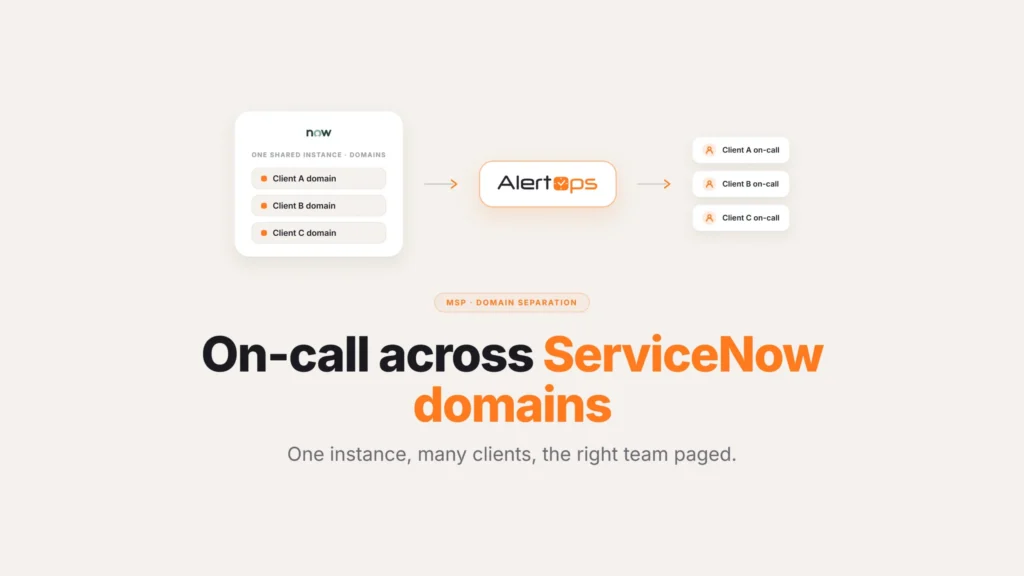
The second is scheduling that fits how teams already work. Some have built their on-call calendars in ServiceNow and want to keep managing rotations there. AlertOps can read that on-call information rather than forcing a parallel calendar, and it also offers its own rotating and fixed schedules, override shifts, and holiday coverage for teams that would rather run rotations in the response layer.
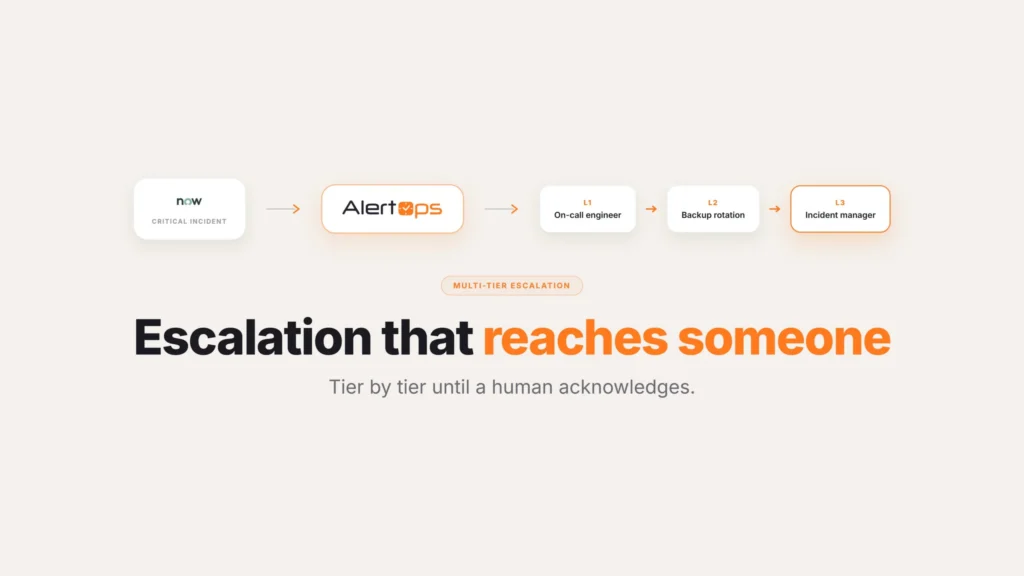
The third is escalation depth that matches enterprise reality. Plenty of ServiceNow shops run six or seven levels of escalation, walking from the first responder to the next role to a manager to a director until someone answers. AlertOps handles that through Escalation Policies, the plotted pathway between roles, and offers Response Plays as the simpler, role-agnostic option when the whole on-call group just needs to be notified at once.
The fourth is correlation, so the new layer reduces noise instead of forwarding it. A cascading outage can throw off hundreds of related alerts, and that storm shouldn’t turn into hundreds of pages. OpsIQ, the intelligence layer in AlertOps, groups related signals as they arrive using similarity modeling, natural language processing, and configurable thresholds, cutting alert noise up to 68% in enterprise deployments (AlertOps platform data). For the deeper view of how that fits ServiceNow’s native on-call, see is ServiceNow’s native on-call enough.
Splunk On-Call vs. AlertOps for a ServiceNow Shop
| Splunk On-Call | AlertOps | |
| Ownership trajectory | Changed hands twice since 2018, roadmap widely seen as slowing | Purpose-built for the ServiceNow relationship, actively developed |
| Connection to ServiceNow | Typically a webhook, not a certified two-way app | Certified two-way integration through the ServiceNow Store |
| Escalation depth | Configurable, but not built around ServiceNow assignment groups | Reads assignment groups directly and escalates within them |
| Alert correlation | Limited grouping of related signals | OpsIQ correlation at the point signals arrive |
| Scheduling | Its own separate calendar system | Can read ServiceNow schedules or run its own, either way |
Signs Worth Paying Attention To
Since there’s no forced deadline here, the decision to move comes down to judgment rather than a calendar. A few patterns are worth treating as real signals rather than background noise.
Support tickets that used to get a fast, specific answer start coming back generic, or take noticeably longer to resolve. That’s often the clearest sign that headcount on the product side has shifted elsewhere.
Feature requests that would have shipped a year or two ago sit open with no roadmap commitment attached to them. A product being actively developed usually has visible movement on the requests customers keep asking for, even if slowly.
Reporting and analytics stay static while everyone else’s expectations for incident metrics keep rising. If leadership is asking for MTTR breakdowns or escalation analytics the tool simply can’t produce, that gap tends to only widen over time, not close on its own.
None of these individually means it’s time to migrate. Together, they’re the pattern that usually precedes a team deciding the on-call layer needs a serious look, whether or not the vendor ever announces anything formal.
How the Assisted Migration Works
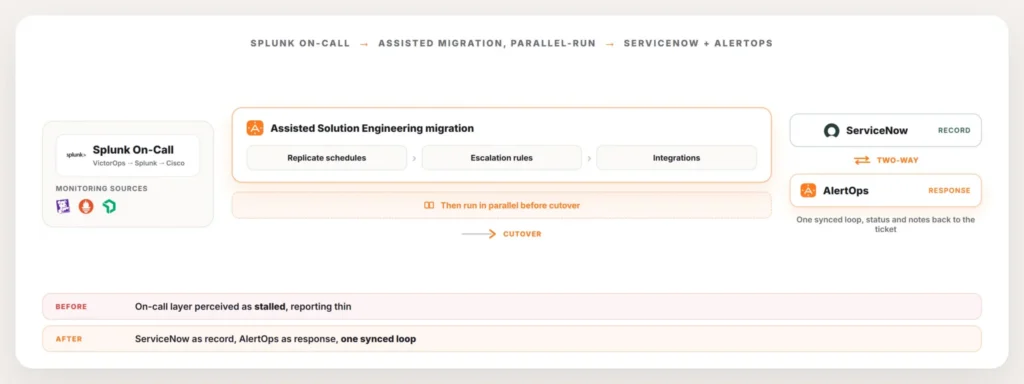
Moving off Splunk On-Call is an assisted Solution Engineering engagement, not a DIY transition. The AlertOps Solution Engineering team replicates what’s already in place: schedules, escalation rules, and the integrations feeding both the monitoring stack and ServiceNow. Nothing about the ServiceNow instance gets rebuilt in the process. The on-call layer is the only thing that moves, and ServiceNow keeps doing its job underneath the whole time.
Then it runs in parallel. Alert routing and incident grouping get validated side by side with Splunk On-Call still live, so you confirm the right people are paging on the right incidents before anything production depends on the new setup. Because there’s no end-of-life deadline forcing the timeline, that parallel run can sit for as long as it takes to build trust in it. Once it holds, the cutover happens and Splunk On-Call gets retired on your own schedule.
Conclusion
Nothing about this migration is urgent in the way an announced shutdown would make it urgent, and that’s actually the advantage. There’s no cliff to race, no contract clock forcing a decision before anyone’s ready. What’s actually driving the reconsideration is simpler: a response layer that’s stopped visibly moving forward while everything around it keeps changing. Handled on your own schedule, with a parallel run long enough to prove itself, this is one of the calmer migrations a ServiceNow shop will ever run.
For the full picture of how the two systems connect, start with the AlertOps and ServiceNow two-way integration guide.
Book a demo at alertops.com/demo to see the two-way integration run against your own ServiceNow instance.
Frequently asked questions
What is the best Splunk On-Call alternative if I run ServiceNow?
AlertOps fits a ServiceNow shop specifically. It reads assignment groups and on-call schedules straight from ServiceNow. Paging and escalation run across phone, SMS, email, and mobile. Status and resolution sync back to the ticket in real time. ServiceNow stays where incidents live, and only the on-call layer changes.
Is Splunk On-Call (VictorOps) being discontinued?
Splunk has published no end-of-life date. The product started as VictorOps. Splunk acquired it in 2018. Cisco acquired Splunk in 2024, and the product moved with it. It still runs today. Teams frequently report that feature work and reporting slowed through those transitions. That pattern prompts a re-evaluation even without a forced shutdown.
How is migrating off Splunk On-Call different from migrating off Opsgenie?
Opsgenie comes with a fixed support date, which makes that move deadline-driven. Splunk On-Call has no such cliff, so leaving it is a choice made on your own terms rather than in response to a vendor’s calendar. That means the parallel-run period can be as long as it needs to be before anyone commits to cutting over.
Will I lose my Splunk On-Call schedules and escalation rules when I move?
No. A Solution Engineering team rebuilds your existing schedules, escalation rules, and integrations inside AlertOps as part of the migration. Teams that prefer keeping rotations inside ServiceNow can do that instead, with AlertOps reading the schedule from there. Your ServiceNow instance itself is left untouched.
Does AlertOps work with the Splunk alerts I already send to Splunk On-Call?
Yes. AlertOps has pre-built integrations for a wide range of monitoring sources, Splunk included, and correlates and routes what comes in. A cascading outage collapses into one enriched incident rather than a flood of separate pages, and the resulting incident syncs to ServiceNow through the two-way integration.